Tuning, Diagnostics, Electronics, and Wiring HP Tuners | EFILive | Hand Held Programmers | Stand Alone PCM's | Electronics | Wiring Diagrams

Red Xs on PID's

Thread Tools
 
Search this Thread
 
Old Jun 27, 2008 | 04:44 PM
  #1  
viciousknid's Avatar
Thread Starter
Where's the Beef?
iTrader: (8)
 
Joined: Jan 2007
Posts: 9,382
Likes: 1
From: Dover, Oklahoma
Default Red Xs on PID's

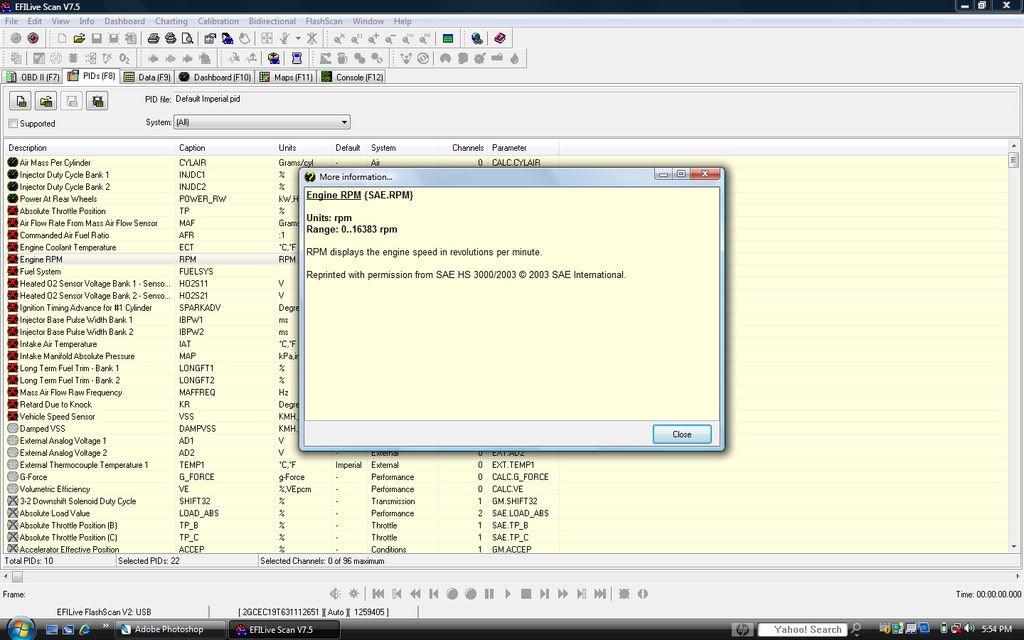
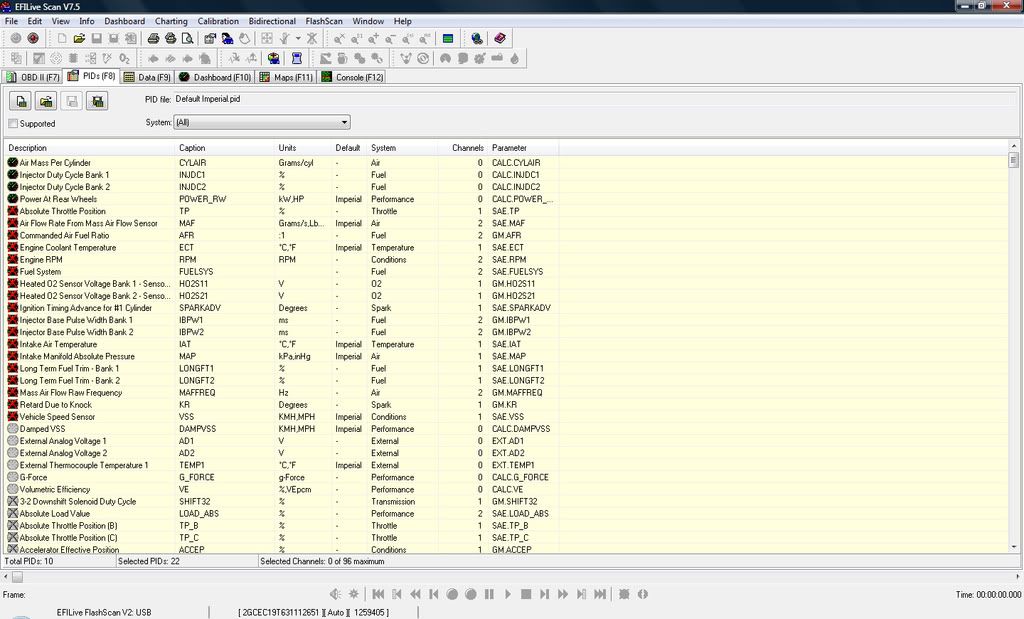
Like it says. Trying to scan with EFI Live and all but 10 of my PID's are X'd out red.
Tried it on Dirt Track Racers laptop and it was fine so I don't have something configured right on my system.
Any Ideas?


http://forum.efilive.com/showthread.php?t=8416
Reply
Old Jun 27, 2008 | 06:05 PM
  #2  
viciousknid's Avatar
Thread Starter
Where's the Beef?
iTrader: (8)
 
Joined: Jan 2007
Posts: 9,382
Likes: 1
From: Dover, Oklahoma
Default


Reply
Old Jun 27, 2008 | 06:36 PM
  #3  
kbracing96's Avatar
TECH Senior Member
iTrader: (26)
 
Joined: Jul 2004
Posts: 9,485
Likes: 31
From: Oakland, OR
Default

When you plug it into the truck, make sure it is connecting with the truck and not just the V2 unit. Then if they are still X-ed out, click the icon second from the left in the second tool bar, and it will validate all the PIDs. My guess is for some reason, your only actually connecting to the V2 and not your truck.
Reply
Old Jun 27, 2008 | 06:48 PM
  #4  
kbracing96's Avatar
TECH Senior Member
iTrader: (26)
 
Joined: Jul 2004
Posts: 9,485
Likes: 31
From: Oakland, OR
Default

Tyler probable has an older version of the software that defaults to select a Gen III PCM, where the latest version of the software now let you and defaults you to connect to the flashscan/autocal unit. If that's the case, just click on the file button and select choose controller type and then choose Gen III LS1 99-08 PCM.
Reply
Old Jun 27, 2008 | 06:52 PM
  #5  
dirt track racer 81's Avatar
TECH Senior Member
iTrader: (45)
 
Joined: Jun 2005
Posts: 9,439
Likes: 13
From: Hennessey, Oklahoma
Default

i got the new version ********. it wont let you validate. and put it on the Gen III LS1 99-08 PCM. works fine on my lap top but not with joshs
Reply
Old Jun 27, 2008 | 07:01 PM
  #6  
viciousknid's Avatar
Thread Starter
Where's the Beef?
iTrader: (8)
 
Joined: Jan 2007
Posts: 9,382
Likes: 1
From: Dover, Oklahoma
Default

Originally Posted by kbracing96
When you plug it into the truck, make sure it is connecting with the truck and not just the V2 unit. Then if they are still X-ed out, click the icon second from the left in the second tool bar, and it will validate all the PIDs. My guess is for some reason, your only actually connecting to the V2 and not your truck.
If you notice the screen shots. It is connected but you can't select the validation button your talking about because it isn't highlighted.
If i unplug it from my 7.5 and plug it into his 7.5 it works perfectly.
Reply
Old Jun 27, 2008 | 07:01 PM
  #7  
kbracing96's Avatar
TECH Senior Member
iTrader: (26)
 
Joined: Jul 2004
Posts: 9,485
Likes: 31
From: Oakland, OR
Default

Originally Posted by dirt track racer 81
i got the new version ********. it wont let you validate. and put it on the Gen III LS1 99-08 PCM. works fine on my lap top but not with joshs
Trade lap tops, problem solved
Reply
Old Jun 27, 2008 | 07:06 PM
  #8  
dirt track racer 81's Avatar
TECH Senior Member
iTrader: (45)
 
Joined: Jun 2005
Posts: 9,439
Likes: 13
From: Hennessey, Oklahoma
Default

Originally Posted by kbracing96
Trade lap tops, problem solved
i would honestly do that. his enter button works..
Reply
Old Jun 27, 2008 | 07:09 PM
  #9  
kbracing96's Avatar
TECH Senior Member
iTrader: (26)
 
Joined: Jul 2004
Posts: 9,485
Likes: 31
From: Oakland, OR
Default

Haha,

Did it ever work? Sounds like something might not have installed properly, might try uninstalling and reinstalling EFILive.
Reply
Old Jun 27, 2008 | 07:26 PM
  #10  
viciousknid's Avatar
Thread Starter
Where's the Beef?
iTrader: (8)
 
Joined: Jan 2007
Posts: 9,382
Likes: 1
From: Dover, Oklahoma
Default

Originally Posted by kbracing96
Haha,

Did it ever work? Sounds like something might not have installed properly, might try uninstalling and reinstalling EFILive.
Showed up at his house with 7.4. Had this problem
Went ahead and upgraded to 7.5. had this problem.
Reply


All times are GMT -5. The time now is 05:44 PM.