GMT 800 & Older GM General Discussion 2006 & Older Trucks | General Discussion

photobucket

Thread Tools
 
Search this Thread
 
Old Mar 16, 2010 | 11:13 PM
  #1  
WorkTruc's Avatar
Thread Starter
Launching!
iTrader: (8)
 
Joined: Dec 2006
Posts: 298
Likes: 1
Default photobucket

how do you post pics from photobucket.I tried a 1000 different ways with no success.I get invalid file or a very small picture you still have to click on.I want fullsize pictures that fill the screen like the ones you see in show and shine or project section.Have tried highlighting IMG,COPY THEN COME BACK HERE AND PASTE,NO WORKIE.I AM NO COMPUTER WIZ. BLUECOLLAR WORKER,NO OFFICE JOB

Reply
Old Mar 16, 2010 | 11:28 PM
  #2  
dlt76028's Avatar
12 Second Truck Club
15 Year Member
iTrader: (13)
 
Joined: Sep 2007
Posts: 5,883
Likes: 2
From: Crowley, TX
Default

Photobucket gives you 4 different tags to copy, I copy IMG code and come over here and paste it.
Reply
Old Mar 16, 2010 | 11:33 PM
  #3  
WorkTruc's Avatar
Thread Starter
Launching!
iTrader: (8)
 
Joined: Dec 2006
Posts: 298
Likes: 1
Default

TESTING Just tried that here and manage attachments upload said INVALID FILE
Reply
Old Mar 16, 2010 | 11:37 PM
  #4  
dlt76028's Avatar
12 Second Truck Club
15 Year Member
iTrader: (13)
 
Joined: Sep 2007
Posts: 5,883
Likes: 2
From: Crowley, TX
Default

You don't paste it into attachments file, you past it directly into the message.

*paste here*
Reply
Old Mar 16, 2010 | 11:38 PM
  #5  
_zebra's Avatar
makes children cry
iTrader: (5)
 
Joined: May 2009
Posts: 2,897
Likes: 456
From: cold & windy
Default

with the image tags, all you have to do is paste the picture's URL in your post by clicking the yeller mountain button that says "insert image"
Reply
Old Mar 16, 2010 | 11:47 PM
  #6  
WorkTruc's Avatar
Thread Starter
Launching!
iTrader: (8)
 
Joined: Dec 2006
Posts: 298
Likes: 1
Default

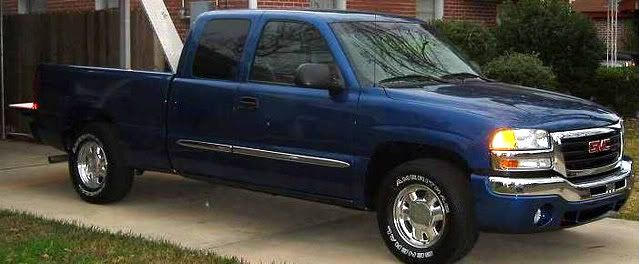
TESTING AGAIN 1ST DAY FROM DEALERSHIP 2003
Reply
Old Mar 16, 2010 | 11:48 PM
  #7  
WorkTruc's Avatar
Thread Starter
Launching!
iTrader: (8)
 
Joined: Dec 2006
Posts: 298
Likes: 1
Default

THANKS,THAT WORKS
Now how do you post 3 or 4 pics with description in between pics in 1 post?
Reply
Old Mar 16, 2010 | 11:49 PM
  #8  
budhayes3's Avatar
PT's Slowest Truck
iTrader: (19)
 
Joined: Apr 2004
Posts: 17,863
Likes: 2
From: Hackensack, NJ
Default

Originally Posted by zebra86
with the image tags, all you have to do is paste the picture's URL in your post by clicking the yeller mountain button that says "insert image"
If you're using the [IMG] tags you don't even need to click the yellow mountain button, just paste it directly into your reply or sig. If all you have is the pic's location (http//:insertimagenamehere) without the image tags, then you must use the yeller mountain button
Reply
Old Mar 16, 2010 | 11:59 PM
  #9  
_zebra's Avatar
makes children cry
iTrader: (5)
 
Joined: May 2009
Posts: 2,897
Likes: 456
From: cold & windy
Default

Originally Posted by WorkTruc
THANKS,THAT WORKS
Now how do you post 3 or 4 pics with description in between pics in 1 post?
type words here
--insert URL in image tags--

type more words
--insert another pic--

yet again, more words
--another pic--


you get the picture
Reply
Old Mar 17, 2010 | 09:07 AM
  #10  
viciousknid's Avatar
Where's the Beef?
iTrader: (8)
 
Joined: Jan 2007
Posts: 9,382
Likes: 1
From: Dover, Oklahoma
Default

Also helps to put these topics in the Truck Stop since they aren't GM related. "GM General Discussion"

Helps find things easier.
Reply


All times are GMT -5. The time now is 08:39 AM.