


How to download pictures


 Mar 28, 2006 | 11:12 PM
#5

Originally Posted by ByuTrukFreak
I think I got the Signature picture thing working 
That's funny you posted that but it is still not working

I know how to get the avatar working but the signature has me beat
 the funny part is that 21 members viewed this but did'nt comment maybe they did'nt know either...
Mar 29, 2006 | 10:34 AM
the funny part is that 21 members viewed this but did'nt comment maybe they did'nt know either...
Mar 29, 2006 | 10:34 AM
#6

what I did was post my pics to photobucket.com (for free) and just click the 'insert image' button on the new thread or the post reply options.
I'll dig up the How-to for the other ways when I get a few extra minutes and post a link unless someone beats me to it.
I'll dig up the How-to for the other ways when I get a few extra minutes and post a link unless someone beats me to it.
 Thanks let us know
 Trending Topics
Mar 29, 2006 | 01:22 PM
#8
well I coulndn't find the old post I had once seen before but, I did find this courtesy of 203Cree;
Go to: www.photobucket.com and setup an account. It's a free webhosting site and you can upload pics direct from your hard drive. Once you do that and add the pics you want, they'll show up in your album.
After the pics show up in your album, there will be three lines of info right below the picture.
The first one is a url, and by copy and pasting that link into your thread, you've got a hyperlink.
EX: http://img.photobucket.com/albums/v...ee/CIMG0396.jpg
The second will be a tag. I'm not really sure what that'll do, but postin it will not bring up a pic or hyperlink.
The third line is the one you want. It comes complete with the [Img][/img] tags on the line.
EX:
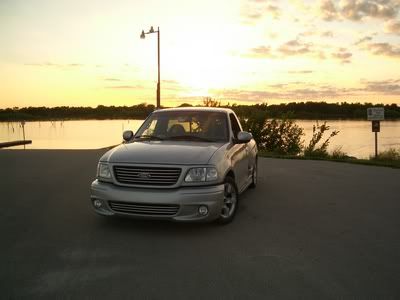
That will post your pics directly into the thread. To post it directly into your sig, you would use the thrid line as well. Just copy and paste into your signature block of the user cp. I hope this helps.
Make sure you follow the site guidlines as far as sig content and size. Those things can be found HERE.
Laters
Cree
thanks Cree
Go to: www.photobucket.com and setup an account. It's a free webhosting site and you can upload pics direct from your hard drive. Once you do that and add the pics you want, they'll show up in your album.
After the pics show up in your album, there will be three lines of info right below the picture.
The first one is a url, and by copy and pasting that link into your thread, you've got a hyperlink.
EX: http://img.photobucket.com/albums/v...ee/CIMG0396.jpg
The second will be a tag. I'm not really sure what that'll do, but postin it will not bring up a pic or hyperlink.
The third line is the one you want. It comes complete with the [Img][/img] tags on the line.
EX:
That will post your pics directly into the thread. To post it directly into your sig, you would use the thrid line as well. Just copy and paste into your signature block of the user cp. I hope this helps.
Make sure you follow the site guidlines as far as sig content and size. Those things can be found HERE.
Laters
Cree
thanks Cree